Order and Pay for or Donate Masks Online and Check your Medical History with the NHI App 用全民健保行動快易通app買口罩註冊辦法

Germany

36th Round:
Order and payment: June 14-16
Collection: June 21-July 4

**Update the new update of the app now has a COVID-19 (NHI-funded) vaccine appointment platform. It’s still under construction, but watch this space.**

I discovered this app a while back, but it wasn’t really of much use to me until I heard the news that you can order masks through it on a weekly basis. The app essentially provides you information about your medical history and medications prescribed you online, and they’ve added information about all the tests you’ve undergone through the years in English (See Extra Credit section below to explore this content). It also provides reminders about scheduling your next dentist appointment, but previously, the app was buggy and not incredibly interesting, so I didn’t blog about it at the time. The process of getting your device verified is also quite complex and involves a card reader, so I didn’t think there’d be too much appetite for a post about it, but maybe the online ordering system and the added info will change that a bit. (Note, you can also order at an iBon/Famiport/other machine in convenience stores and pay at the counter.)

After downloading the app 「健保快易通」(Google Play) or here for Apple users (if you’ve already downloaded it, make sure you have the latest version). You then have to go to the website to verify your identity with a (ATM-style) card reader (you can buy them on PCHome here).

After you’ve installed the card reader, head to their website, if you’re a Windows user, you’ll need to download their Windows installer, or MAC Installer, (others available here). You can check if your card is being read properly here.

If it’s working, you should get a message like this:

76917362_433885400836442_4556499661518536704_n

You’ll also have to mark your server as a trusted server here (or click on 「設定伺服器為可信任服務」(set as a trusted server) on this page). You’ll have to be an administrator on your computer to do this.

Now, you can get on with verifying your mobile app.

First-time users should click the box labeled 「首次登入請先申請」(First-time users, please apply here first), which I’ve marked with a red box below:
(Note they’ve now added English to the website too.)

76917362_433885400836442_4556499661518536704_n

This will take you to a list of terms that you can click agree on:

Continue reading
Updated: Top Up Your Easycard Automatically From Your Bank Account

If you haven’t already tied your electronic receipts on your Easycard or with your mobile phone barcode to your bank account, you can check out my previous how to blogpost.

For those that have already done that, you might want to set up your Easycard so that when the balance hits zero, NT$500 is automatically transferred from your bank account  (see participating banks below*) to the Easycard. The service can be cancelled if you lose your card, and you can recoup the balance of your Easycard when you cancel the card.

*Participating banks: Fubon; Shin Kong; Mega Bank; Taishin Bank; CTBC Bank; COTA Commercial Bank; Union Bank of Taiwan; Jihsun Bank; Chang Hua Bank (UPDATE: as of March 11, 2020 – see here for updated info!)

Currently banks like E. Sun offer a debit card with an in-built Easycard, if your bank supports this service then great. If not, you can follow the instructions below to tie ordinary Easycards to your bank so that you never have to top up your Easycard with cash:

Step 1: Register your name to your Easycard at the following website:

Website Link

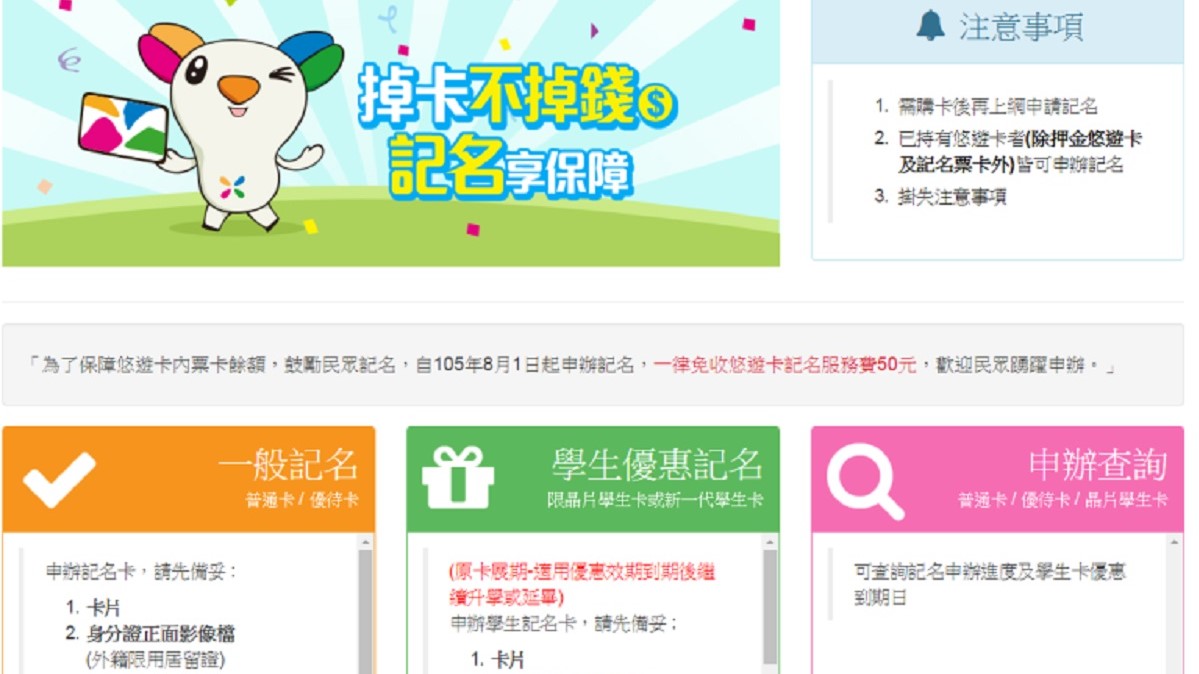
To do this you need to click on 「記名申請」(Apply for name registration)

1233333

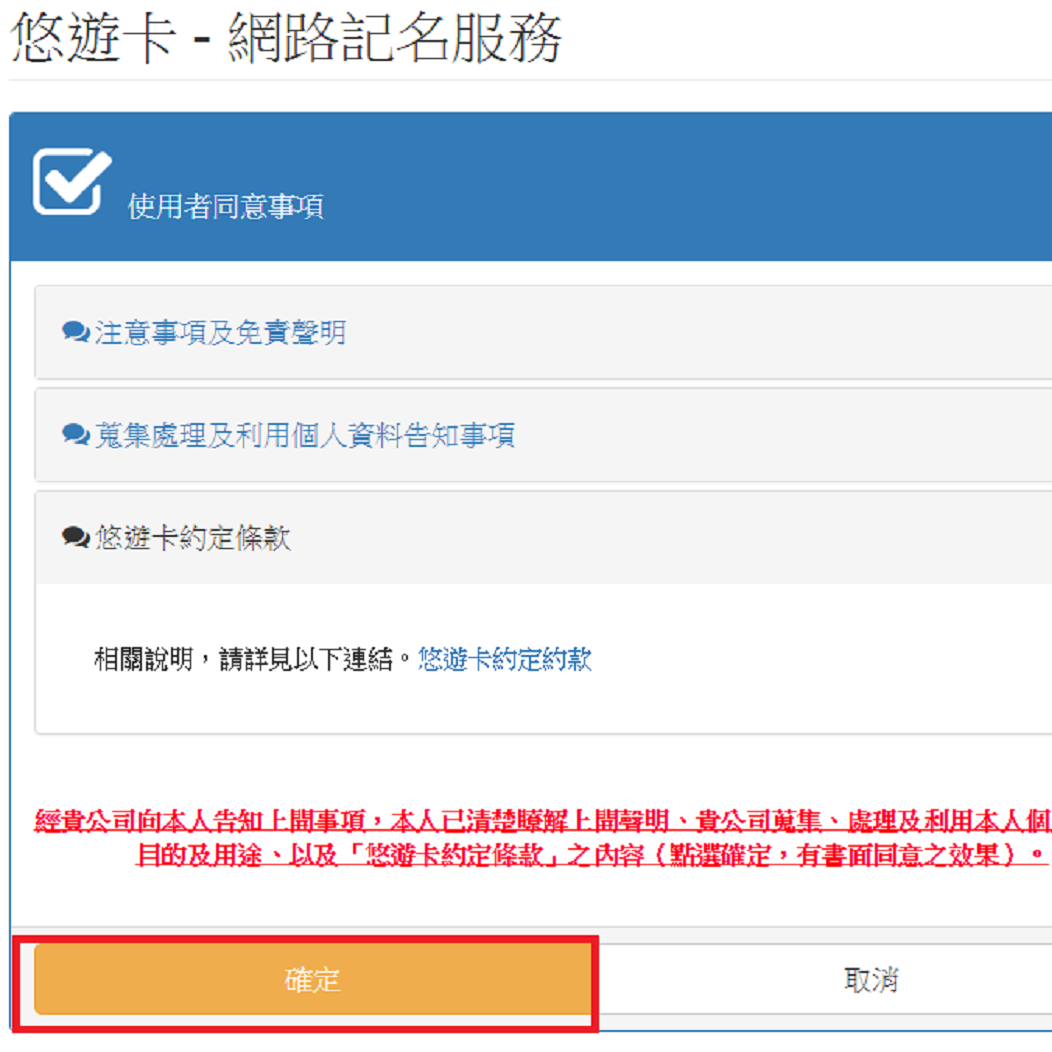
Several terms and conditions will be listed on the next screen and you can click 「確定」 (Confirm), as below:

Untitled

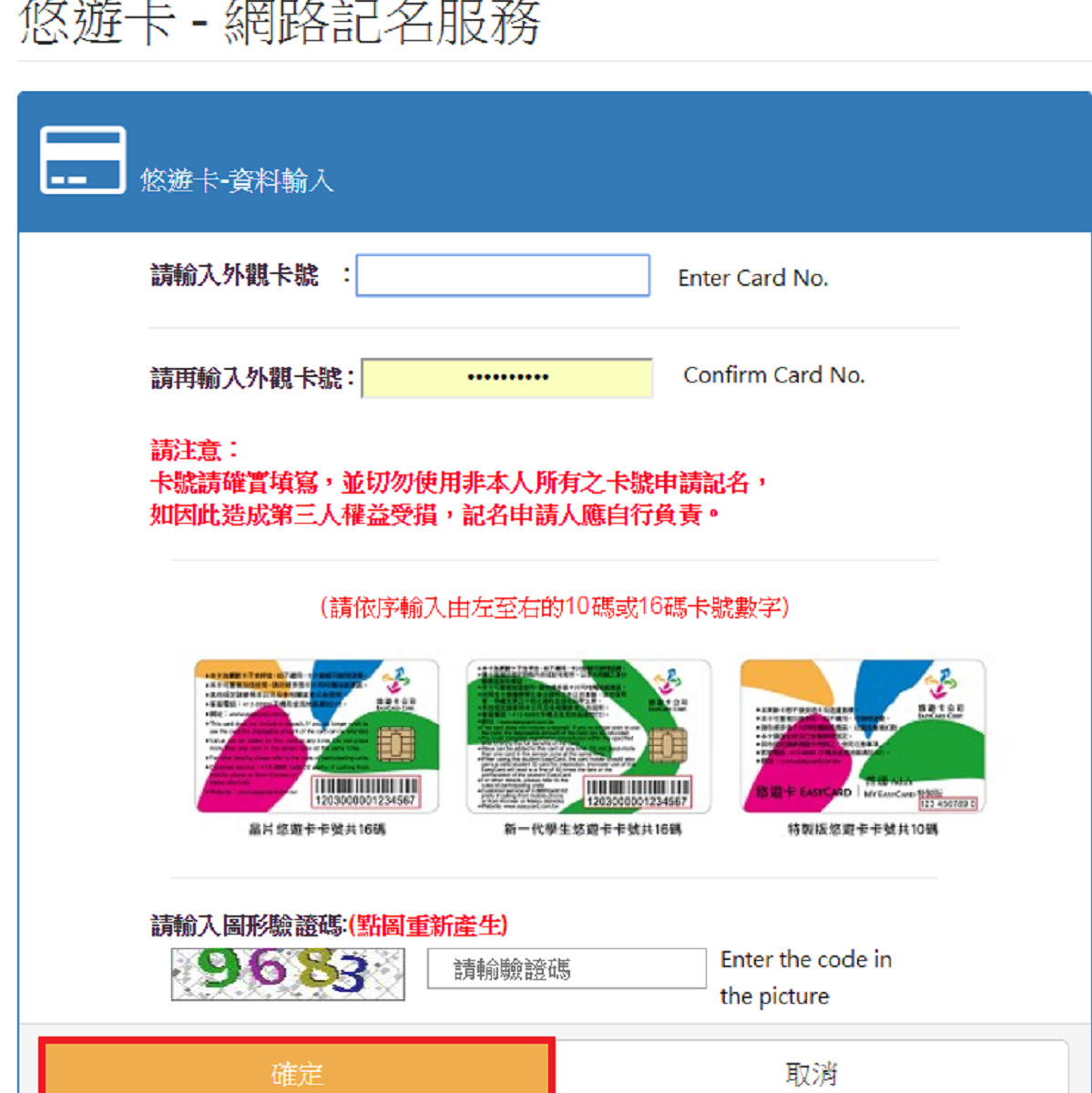
After this you’ll be asked for the Card No. of your Easycard, generally found on the bottom right of the back of your Easycard. It asks you to enter it twice. You’ll also have to complete a captcha puzzle and press 「確定」(Confirm) again:

Untitled

The next screen will ask you to fill in some details, including your name, email and phone number. Following this there will be a screen telling you to upload a photo of your ARC (and sometimes the front and back of your Easycard). When you’ve done this, you’ll get a screen telling you that it’s processing.

It takes 3 working days to process.

2. Go to your bank

Once you get an email notification, confirming that the name registration process is complete, you have to go to your bank and fill out a consent form. You’ll need to bring your ARC, your bank card and your Easycard with you.

3. Go to a Famiport

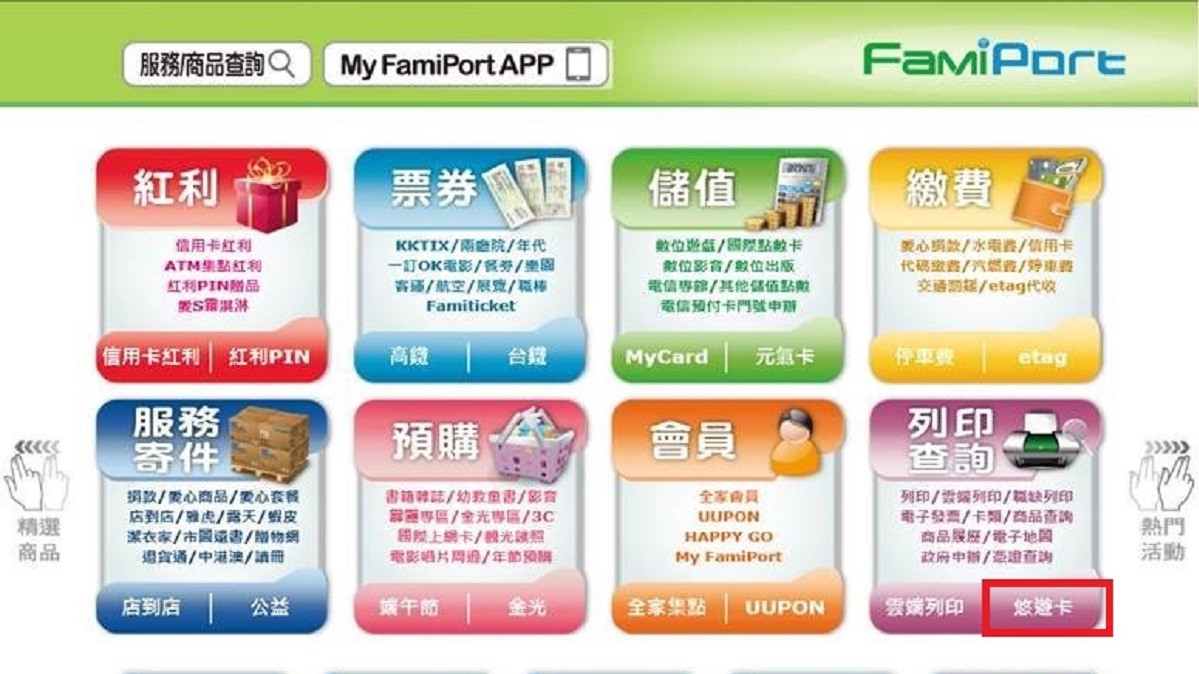
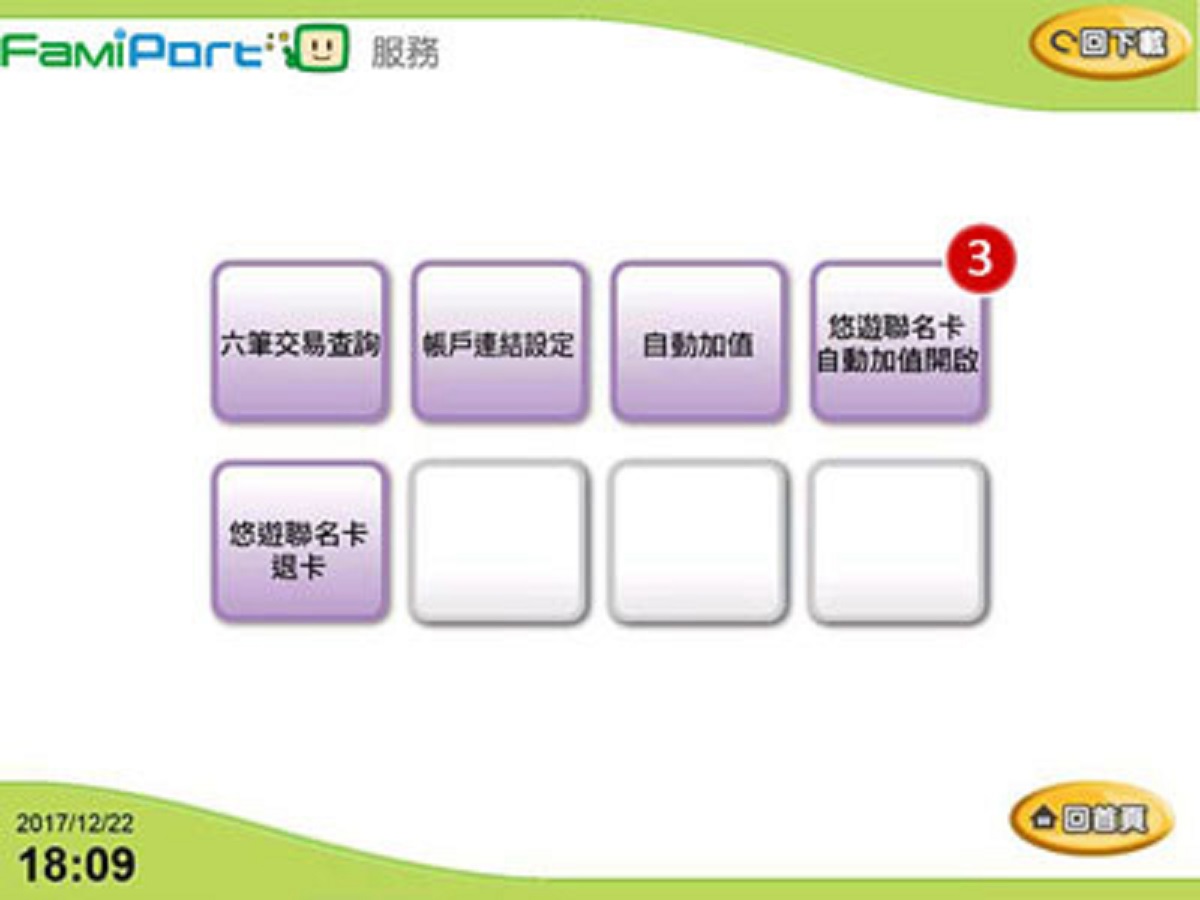
Once your bank has processed your form, they will allow you to activate the automatic top-up function. You can do this by going to a FamiPort and clicking the 「悠遊卡」 option, listed under the purple print section:

111223
111223

Under this you should see an option called 「帳戶連結設定」(Account Link Settings). It will ask you to put your Easycard on the sensor and then it should activate your automatic top up service.

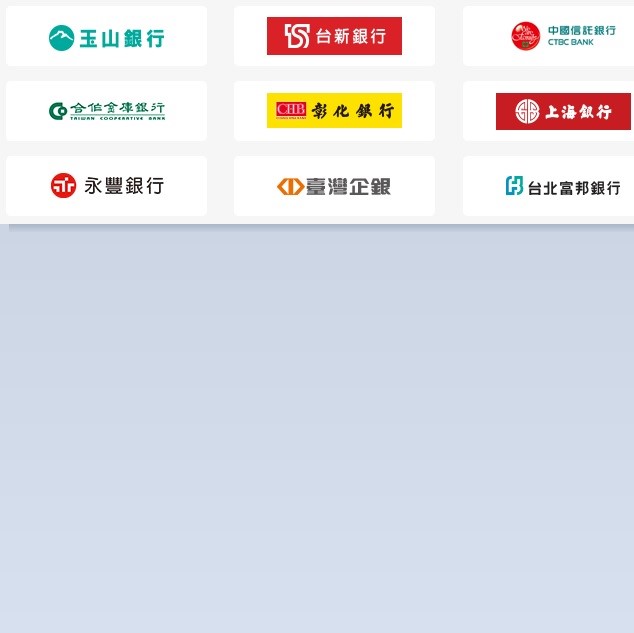
Note: All of the banks listed below allow you to incorporate your Easycard into your debit card. So the method listed above is just for those that didn’t opt for that service, are with banks that don’t support these services, or are just very attached to their current Easycard:

111223
1233333

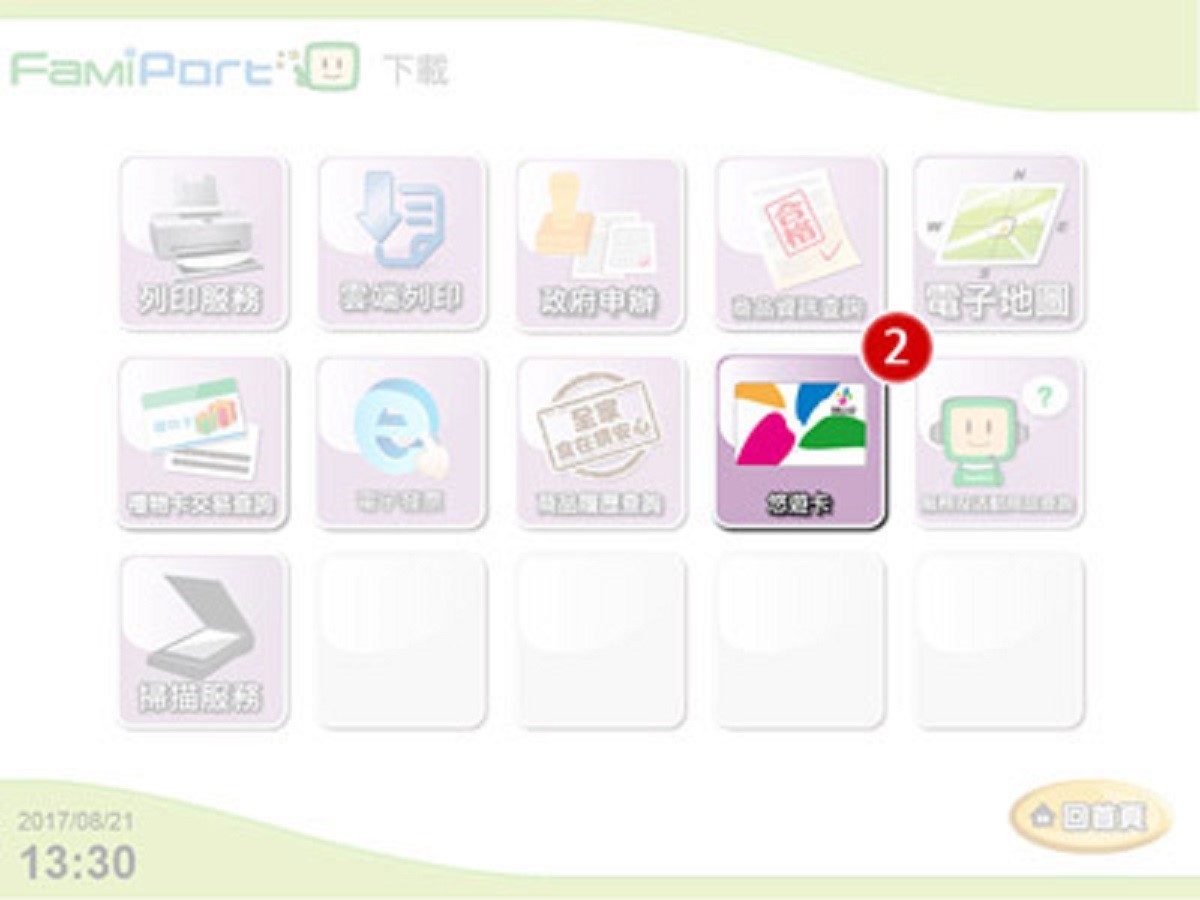
When you’re issued with an combination Easycard/Debit Card, you’ll have to activate the automatic top-up using a Famiport too, but you choose a different option under the Easycard menu as below:

111223

Then, as with the account link settings, you’ll have to put your Easycard to the sensor and confirm that you want to activate the service.

Post was updated March 11, 2020, to reflect the other banks who have since joined the scheme!

Taiwan’s Receipt Lottery: Get Virtual Receipts and Connect to your Bank Account

21441369_10103494891358479_602871138_o

The receipt lottery in Taiwan – whereby you can win varying amounts of money if the invoice number of your receipt matches certain numbers announced every two months – is great. However, I firmly believe that many of my winning NT$10 million receipts have been victim to my washing machine, to sun damage or to falling down the back of the sofa until they’re out of date. There’s also the minor hassle of going through receipts for everything you’ve bought in the past two months receipt by receipt with the risk that you’ll not actually have won anything.

UPDATE – There’s also a special prize reserved for virtual receipts of NT$500!

E-Receipts vs Traditional Receipts

There’s nothing you can do about the older receipts – the ones that change colour every two months, like the one below. You just have to check them every two months with that dwindling sense of dread that you haven’t won anything again and you’ve just wasted an hour of your life.

21441603_10103494901533089_877307070_o

The receipts issued by convenience stores, chain stores and an increasing number of other retailers that have two QR codes on the bottom, however, you can do something about.

Continue reading